A load value that looks plausible can still be wrong when the force path, excitation voltage, gateway scaling or cloud timestamp has failed. You will be able to classify the symptom, isolate the fault from the sensor to the alarm recipient, and decide whether the system needs a wiring repair, recalibration or a change to its safety architecture.
Key takeaways
- Trace the complete force, signal, network and dashboard path before replacing components.
- Compare raw, conditioned, transmitted and displayed values at the same load.
- Use a controlled load test; a zero check alone cannot prove accuracy.
- Repair, recalibrate or redesign the system based on the failed link.
What a digital load cell IoT system is actually reporting
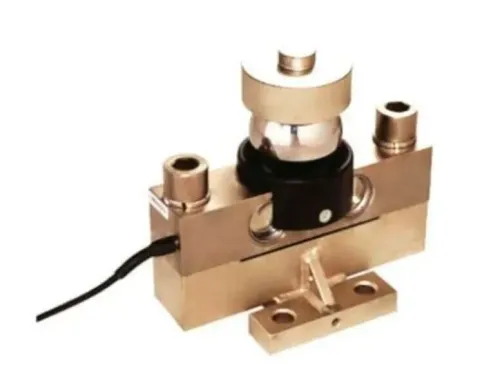
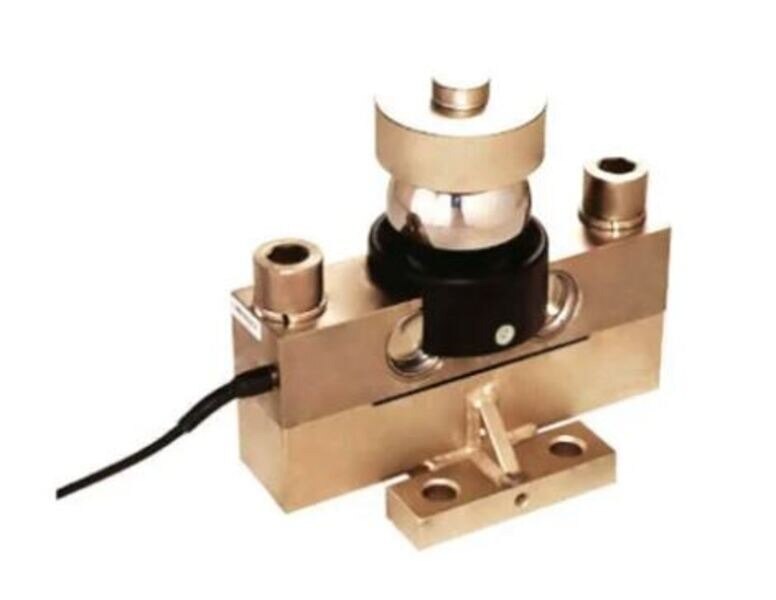
A digital load cell IoT system reports a measurement through a chain, and any link can create the fault before you see it. The path runs from the load cell and mounting hardware to bridge electronics, the signal-conditioning transmitter, gateway, wired or wireless link, plant server or cloud, dashboard and alarm output.
The symptom narrows the search:
| Symptom | Likely fault area | What it means |
|---|---|---|
| Live but incorrect | Mechanics, excitation, scaling or calibration | Data is arriving, but the measured value is wrong |
| Frozen value | Stale last-known value or failed update | The display may show an old load as current |
| Missing value | Power, wiring, gateway or network | No usable measurement reached the display |
| Intermittent value | Moisture, vibration, connectors or radio coverage | The path repeatedly opens and recovers |
| Delayed value | Buffering, filtering or network latency | The value is current only after a time lag |
Timestamp the reading at the measurement device, not only when the cloud receives it. Label valid data, communication loss, delayed data, device reboot and last-known value separately; otherwise digital load cell IoT system problems become misleading screen problems.
An industrial IoT load cell fault must not rely on a cloud alarm for a time-critical overload decision. A local controller must evaluate a fresh measurement and enter a defined safe state when that measurement or its communication status is invalid.
Start digital load cell troubleshooting at the force path and wiring
A failed sensor is not the first suspect in a digital load measurement problem. Force reaching the sensor incorrectly can produce a stable, plausible reading, so begin where the load enters the structure.
1. Inspect mounting surfaces, fasteners, pivots, shackles, load pins, compression plates and nearby steelwork. Find side loading, eccentric loading, bending moments, friction, debris, cable pull, structural deflection or contact between load-introduction hardware and the frame. Misalignment can survive a transmitter replacement.
2. Remove the load and record the unloaded zero. Then inspect the cable jacket, glands, junction box and connector seals for water, condensation, crushed sections and movement-sensitive faults. Flexing a damaged section during observation can expose an intermittent connection.
3. Measure supply voltage at the load cell or transmitter, not only at the power supply. Check voltage drop in long four-wire runs, small conductors, corroded terminals and parallel cells; a six-wire remote-sense connection helps compensate for excitation loss when sense leads are provided.
4. Verify polarity and bridge wiring against the device drawing. Do not assume a universal pinout. Check the analogue-to-digital input range, excitation setting and sense leads, because many digital devices still condition a low-level mV/V bridge signal internally.
5. Inspect shield termination, protective-earth bonding and cable separation from VFD motor cables and welding return paths. A grounding or shielding change can create noise by redirecting current through the measurement circuit; trace current paths before altering either connection.
If mechanics, voltage and wiring pass inspection, test the sensor with a known load before declaring it failed. A zero check alone cannot expose side-load or span errors.
Use four simultaneous values to find the IoT and scaling fault
Four values taken at the same instant separate a bad load cell from a bad data path: the local transmitter display, the PLC or gateway register, the cloud record, and an independent calibrated instrument or known test load. Record device timestamps, engineering units, tare state, and sequence numbers before comparing them.
| Value pattern | Most likely fault | Checks |
|---|---|---|
| All four agree | Measurement chain is probably sound | Investigate the alarm rule or operating condition |
| Local differs from reference; gateway and cloud follow local | Sensor, mechanics, excitation, wiring, or calibration | Inspect the force path and apply a controlled test load |
| Local agrees with reference; gateway differs | Integration fault | Verify device address, communication status, register selection, signed-versus-unsigned interpretation, and byte order |
| Gateway agrees with local; cloud differs | Data-model or telemetry fault | Check scaling, timestamps, buffering, retries, and dashboard mapping |
| Cloud is frozen or duplicated | Stale or replayed data | Require a device timestamp and sequence number; inspect outage-recovery logic |
When a report says load cell readings incorrect, test the local device before blaming the dashboard. If the gateway is right but the dashboard is wrong, check raw counts scaled twice, gross versus net weight, and a tare or zero copied from another device or calibration revision.
Confirm kilograms, tonnes, newtons, or the configured unit at every layer. Match capacity, decimal placement, span, zero, filtering, and tare settings in both the edge device and dashboard. A wireless or cellular outage can create duplicate or out-of-order records; an industrial IoT load cell fault is not proven until those records are reconciled.
For overload protection, let the local controller act on a fresh measurement, not a stale cloud value.
Prove the fault with a controlled load test, not a zero check alone
A zero check alone cannot prove an industrial IoT load cell fault. A mechanically misaligned crane load cell can return a stable zero and still produce load cell readings incorrect under force.
- Record the unloaded zero, apply a known reference load, remove it, and repeat the cycle to test repeatability.
- Test several points across the working range, not one midpoint.
- Compare every result with an independent calibrated instrument.
- On multi-point cranes, compare corners or positions and inspect each cell; a reasonable summed output can hide one overloaded or drifting cell.
- Record the load cell, junction box, transmitter, firmware, displayed unit and test-load identity with every result.
| Test signature | Likely meaning | Confirm by |
|---|---|---|
| Zero changes after unloading | Zero drift, preload change or permanent deformation | Repeat unloaded readings and inspect mounting |
| Error grows across the range | Span error or overload damage | Compare low, mid-range and high reference loads |
| Loading and unloading disagree | Hysteresis or friction in the force path | Repeat both directions and inspect side loading |
| Reading rises under steady load | Creep, temperature shift or structural movement | Hold the load and log time and temperature |
Temperature compensation in the cell does not correct cable resistance, transmitter electronics, junction-box effects, mounting steel or changing preload. Hoist acceleration, braking, impact, swing and vibration add transient force; define separate instantaneous, filtered and time-averaged alarm limits because filtering can hide a short overload.
For regulated weighing, assess OIML R 60 requirements separately from ordinary condition monitoring.
Choose the right repair, recalibration or system change
Replace the cell only when a controlled test shows the cell has lost mechanical integrity or cannot meet its specified performance. Repair the cable, gland, connector, grounding arrangement or mounting fault when the test localizes the digital load measurement problem to that part.
| Option | What it means | When it applies |
|---|---|---|
| Repair | Correct the installation fault and repeat the load test | Cable damage, moisture at a gland, loose connector, grounding path or mounting error |
| Recalibrate | Recalibrate the complete installed chain | You change excitation, filtering, firmware, units, tare logic, transmitter, summing device or communications mapping |
| Replace | Remove the cell from service and investigate its history | Overload, shock loading, repeated operation near capacity or suspected permanent deformation |
A cell that communicates and displays a plausible value can still have zero shift, sensitivity loss, hysteresis or permanent deformation. Communication status does not prove mechanical health.
Require a fault record containing:
- Local and cloud timestamps, raw values and engineering-unit values
- Alarm state, device address and calibration revision
- Test-load identity, applied points and repeatability results
- Wiring diagrams, commissioning records and calibration evidence
Ask the supplier to acceptance-test zero, span, repeatability, position effects and alarm delivery. For crane protection, require overload logic at the local controller and a defined failure state; cloud-only alarms are unsafe during network loss.
SMARTITA PRIVATE LIMITED is worth involving when digital load cell troubleshooting requires assessment of the cell, transmitter, safe load indicator and load moment indicator as one chain.
Related products
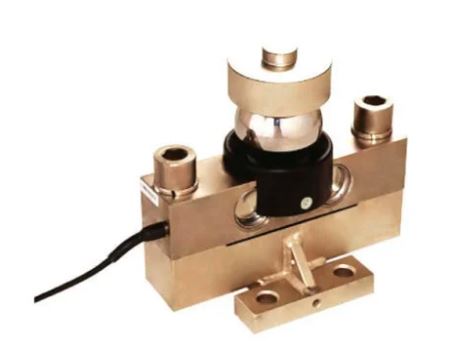 | Digital Load Cell ₹85000 Price: ₹85,000/Piece The 100 Ton Digital Load Cell from SmartITA Pvt. Ltd. View product → |
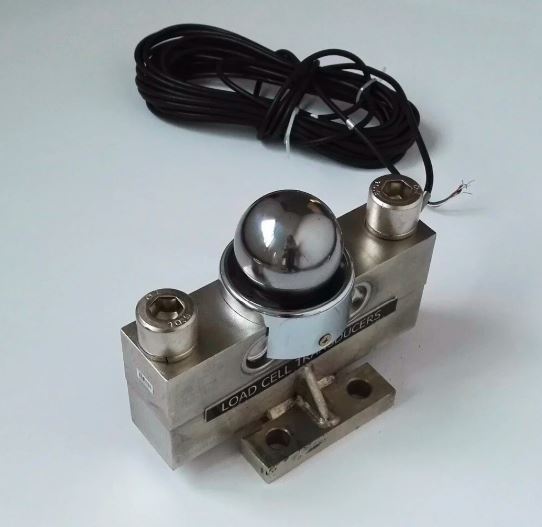 | Digital Load Cell ₹72000 Price: ₹72,000/Piece The 30 Ton Digital Load Cell from SmartITA Pvt. Ltd. View product → |
Frequently asked questions
What does a digital load cell IoT system actually report?
It reports a measurement through a chain from the load cell and mounting hardware to electronics, transmitter, gateway, network, server or cloud, dashboard and alarm output.
Where should digital load cell troubleshooting begin?
Begin at the force path and wiring. Check mounting, load alignment, connectors, cable damage, power and signal continuity before investigating the IoT platform.
Which values help identify an IoT or scaling fault?
Compare four simultaneous values: the load cell’s raw value, the conditioned transmitter output, the gateway or transmitted value, and the dashboard reading.
Why is a zero check insufficient for an industrial IoT load cell fault?
A zero check confirms the unloaded baseline but cannot prove span accuracy, linearity, wiring stability or scaling under load. Use a controlled load test.
When should you repair, recalibrate or change the system?
Repair damaged wiring, hardware or mounting first; recalibrate when the measurement chain is stable but inaccurate; change the system when capacity, integration or environmental limits remain.
Related product
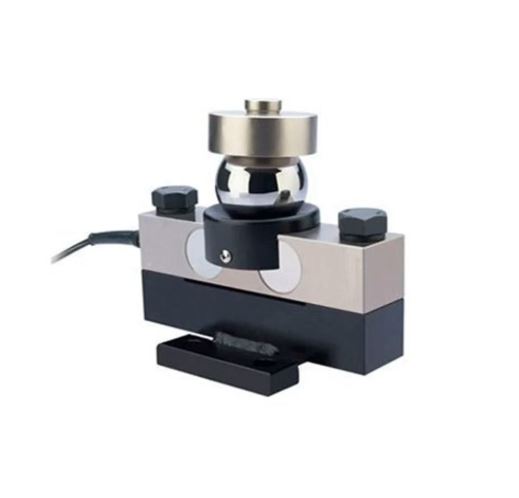 | Digital Load Cell ₹45000 Price: ₹45,000/Piece The 1 Ton Digital Load Cell from SmartITA Pvt. Ltd. View product → |